Kafka Fundamentals: Topics, Partitions, and Consumer Groups Explained
The mental model every data engineer needs before touching Kafka: how topics, partitions, offsets, and consumer groups actually work together.
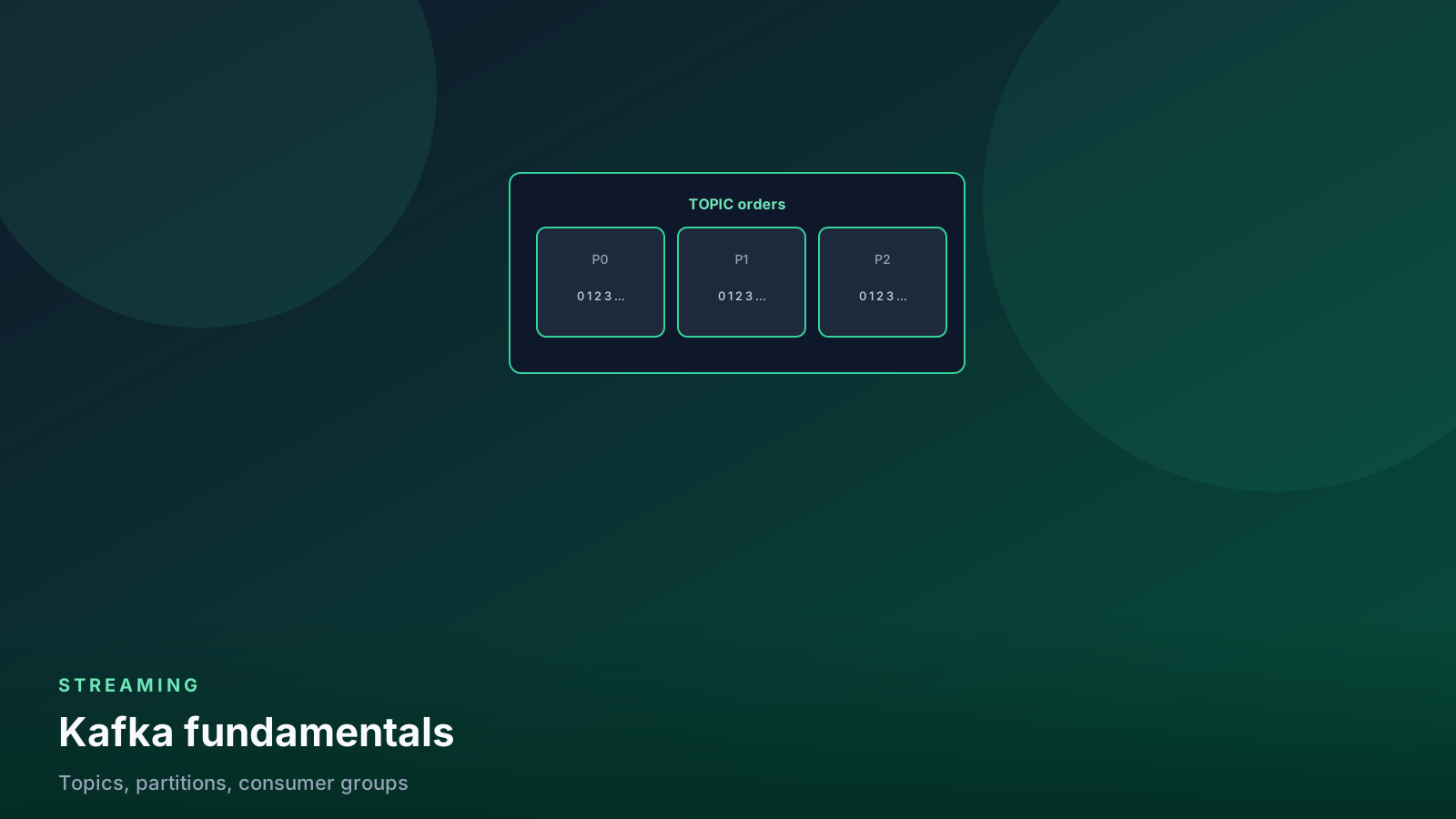
- ✓A topic is a partitioned append-only log — consumers rewind by offset.
- ✓Consumer groups share partitions so you scale read throughput horizontally.
- ✓Retention, not ACK, is what lets you reprocess history safely.
- ✓Same key lands in the same partition; cross-partition order is not a promise.
- ✓Design sinks for at-least-once. Exactly-once is a project, not a checkbox.
Table of contents
- The core idea: a distributed log
- Topics and partitions
- Offsets: your place in the log
- Consumer groups
- Rebalances
- A minimal producer (with the knobs that matter)
- Delivery guarantees in practice
- Retention, compaction, and rewind
- Serialization is part of the contract
- Local loop you can actually run
- Pitfalls I still see in reviews
- When NOT to use Kafka
- FAQ
- Production checklist
Kafka powers most real-time data platforms, but its docs assume you already think in its vocabulary. Here is the mental model, built from the ground up — the same one I use when a warehouse loader, a fraud service, and a search indexer all need the same events.
If you only remember one sentence: Kafka is a distributed append-only log. Everything else (partitions, groups, offsets, retention) is how you read that log without losing order or stepping on another consumer.
flowchart LR
  prod[Producers] --> topic[Topic partitions]
  topic --> cg[Consumer group]
  cg --> c1[Consumer 1]
  cg --> c2[Consumer 2]
  topic --> cg2[Other group]
  cg2 --> c3[Independent consumer]
The core idea: a distributed log
Producers write records to the end of a log. Consumers read from any position. Records are never updated in place. They disappear only when retention says so (time, size, or compaction).
That immutability is the reliability story. Reprocessing is not a special restore job. It is “start reading again from an earlier offset.” A failed warehouse load is a rewind, not a rebuild of the source system.
Two consequences show up in every production review:
- You cannot “fix” a bad event in the log. You publish a correction event, or you compact a key (see below).
- Disk and broker capacity are functions of how long you keep the log, not how many consumers you have. Extra consumer groups do not copy the data.
Topics and partitions
A topic is a named stream (orders, page_views,
cdc.public.customers). Each topic is split into partitions —
independent logs that Kafka can place on different brokers.
Partitions are how Kafka scales. Throughput and consumer parallelism are both capped by partition count. They are also how Kafka does not give you a single global order.
Rules that matter on day one:
- Records with the same key (for example
customer_id) hash to the same partition. Per-key order is guaranteed. - Order across partitions is not guaranteed. If you need a total order for a stream, you need one partition — and you just gave up parallel consume.
- A null key means the producer (or the default partitioner) picks a partition. That is fine for firehose metrics. It is a bug for anything you will later join or upsert by entity.
# Same customer always hits the same partition.
# Different customers may interleave in wall-clock time.
producer.produce(
    "orders",
    key="customer-42",
    value=json.dumps({"order_id": 1001, "amount": 79.99}),
)
Choose partition count before you have a crisis. Raising it later is possible; shrinking it is painful. Twelve to twenty-four partitions is a common start for a busy business topic. One or three is enough for a low-volume control topic. Do not copy “100 partitions” from a talk if your cluster has three brokers and a 2 MB/s producer.
Offsets: your place in the log
Every record in a partition has a monotonic offset. A consumer does not say “give me new messages.” It says “give me records from offset 184920 onward.”
The consumer group coordinator stores the last committed offset per partition. After a crash, the replacement consumer resumes from that commit — not from “now,” unless you configured it that way.
Three settings people treat as folklore and then page on:
| Setting | What it actually does |
|---|---|
enable.auto.commit |
Periodic commit in the background. Easy. Also commits records you have not finished writing downstream. |
auto.offset.reset |
Used only when the group has no committed offset (new group, or offsets expired). earliest replays retained history. latest skips it. |
isolation.level |
For transactional producers. read_committed hides aborted transactions. Irrelevant if you never enabled transactions. |
I commit after the sink write succeeds. Auto-commit is fine for a
laptop demo. It is how you silently drop the last 200 orders when the
warehouse MERGE times out.
from confluent_kafka import Consumer
import json

consumer = Consumer({
    "bootstrap.servers": "localhost:9092",
    "group.id": "warehouse-loader",
    "auto.offset.reset": "earliest",
    "enable.auto.commit": False,
})
consumer.subscribe(["orders"])

while True:
    msg = consumer.poll(1.0)
    if msg is None:
        continue
    if msg.error():
        raise Exception(msg.error())

    record = json.loads(msg.value())
    upsert_order(record)          # your idempotent sink
    consumer.commit(message=msg)  # only after the write
Consumer groups
Consumers join a group. Kafka assigns each partition to exactly one member of that group:
- 6 partitions + 3 consumers → 2 partitions each.
- 6 partitions + 8 consumers → 2 consumers sit idle. Partition count is the parallelism cap.
- Two groups on the same topic do not share offsets. Your fraud
detector and your warehouse loader can both read
ordersat their own pace.
That last point is why Kafka wins over “one queue, one consumer.” The log is the contract. Each downstream system is a group with its own cursor.
flowchart LR
  p[6 partitions] --> a[Consumer A]
  p --> b[Consumer B]
  p --> c[Consumer C]
  extra[Consumers D and E] --> idle[No partition assigned]
  idle --> same[Lag stays on A B C]
More consumers than partitions do not share a partition. Extra pods sit idle. Lag is still six logs.
# After the group stabilizes: who actually owns a partition?
# An idle member prints []. Scaling past partition count will not
# shrink warehouse lag.
from confluent_kafka import Consumer

c = Consumer({
    "bootstrap.servers": "localhost:9092",
    "group.id": "warehouse-loader",
    "enable.auto.commit": False,
})
c.subscribe(["orders"])
c.poll(2.0)
print([(tp.topic, tp.partition) for tp in c.assignment()])
Run that in each replica. If you have eight pods and six partitions, two of those lists stay empty. Add partitions — or stop adding pods.
Rebalances
When a member joins, leaves, or is considered dead, the group rebalances: partitions are revoked and reassigned. During a cooperative rebalance, only some partitions move. During a stop-the- world rebalance, everyone pauses.
Rebalances are the usual reason a “healthy” consumer suddenly stops committing. Typical causes:
- Processing a record takes longer than
max.poll.interval.ms. Kafka thinks the member is dead. - You poll, then do a 90-second HTTP call, then poll again.
- You scale the deployment and bounce every pod at once.
Fix the processing time, or pause/resume the assignment around the slow call. Do not raise every timeout to 30 minutes and call it a day — that just delays the next incident.
A minimal producer (with the knobs that matter)
# pip install confluent-kafka
from confluent_kafka import Producer
import json

def on_delivery(err, msg):
    if err:
        # Log and send to a dead-letter metric. Do not ignore.
        raise Exception(err)

producer = Producer({
    "bootstrap.servers": "localhost:9092",
    "acks": "all",
    "enable.idempotence": True,
    "linger.ms": 10,
    "compression.type": "lz4",
})

producer.produce(
    "orders",
    key="customer-42",
    value=json.dumps({"order_id": 1001, "amount": 79.99}),
    on_delivery=on_delivery,
)
producer.flush()
acks=all waits for in-sync replicas. Idempotent producers prevent
the client from creating duplicates when it retries a send. Neither
one makes your consumer exactly-once. They make the write into
Kafka safer.
linger.ms and compression are how you stop paying for one HTTP-sized
request per event. Measure producer request rate before you tune
batch size by folklore.
Delivery guarantees in practice
Out of the box you get at-least-once: after a crash, a consumer may re-read a few records that were processed but not committed.
Design the sink so a duplicate is a no-op:
merge into warehouse.orders as t
using (select %s as order_id, %s as amount, %s as updated_at) as s
  on t.order_id = s.order_id
when matched and s.updated_at >= t.updated_at then
  update set amount = s.amount, updated_at = s.updated_at
when not matched then
  insert (order_id, amount, updated_at)
  values (s.order_id, s.amount, s.updated_at);
Kafka transactions plus an idempotent sink get you closer to
exactly-once end-to-end. That path is real (Kafka Streams, Flink,
some Spark connectors). It is also more moving parts than most
Python loaders need. Start with at-least-once and a MERGE. Add
transactions when you can name the duplicate you still cannot kill.
At-most-once is “commit first, then process.” You will lose records on a crash. I have never wanted that on a money path.
Retention, compaction, and rewind
Retention is what makes replay cheap. A 7-day topic lets you re-bootstrap a new consumer group from Monday if Friday’s load was wrong. A 24-hour topic means the new fraud model starts cold.
Two policies, different jobs:
- Delete retention (
retention.ms/retention.bytes) — drop old segments. Right default for event streams (orders,page_views). - Log compaction — keep the latest value per key. Right default
for changelog / CDC snapshots (
customers,inventory). You still usually want a retention fallback so tombstones expire.
Rewind a group when you need history again (tooling names vary;
kafka-consumer-groups.sh --reset-offsets is the classic). Do this
on a new group id if production is still consuming. Resetting the
live warehouse group at noon is how you double-count a week of
orders.
Offsets expire too (offsets.retention.minutes). A group that is
idle longer than that comes back as a “new” group and hits
auto.offset.reset. That is a silent skip or a surprise replay,
depending on the setting.
Serialization is part of the contract
The examples above use JSON because it is readable. Production topics should have a schema, a registry, and a compatibility mode (backward is the usual start).
A consumer that decodes JSON and “picks the fields it likes” will survive a renamed column by writing nulls into the warehouse. That is not resilience. That is a quality incident with a green consumer lag graph.
If you already run quality checks in Python, treat the Kafka payload as another table: required fields, types, and a dead-letter topic for poison messages. See data quality checks.
Local loop you can actually run
You do not need a six-broker cluster to learn this. One Compose stack (KRaft or ZooKeeper-mode, plus a console) is enough to produce, consume in two groups, bounce a consumer, and watch a rebalance.
What to practice, in order:
- Produce with a key. Kill the consumer. Restart. Confirm no skip.
- Start a second group on the same topic. Confirm independent offsets.
- Add a third consumer to a 2-partition topic. Confirm one sits idle.
- Throw a poison message. Confirm the rest of the partition does not stall forever (or confirm that it does, and fix it).
Pitfalls I still see in reviews
- Keys that are not the entity you upsert. Partition by
country, thenMERGEbyorder_id, and you get no locality and no useful order. - One consumer, one giant partition. You cannot scale a single-partition topic by adding pods.
- Using Kafka as a database. Compaction is not a query engine. If you need point lookups, dump to a store.
- Unbounded
pollloops with no lag metric. If you cannot graph consumer lag per group, you are flying on logs. - Sharing a
group.idacross unrelated apps. They steal partitions from each other. Name groups after the sink, not the topic.
When NOT to use Kafka
If your latency requirement is “minutes,” a batch job hitting an API or database every 5–15 minutes is simpler to operate. Reach for Kafka when you need seconds-level latency, multiple independent consumers, or replay as a normal recovery path.
Skip Kafka when:
- One team, one consumer, one destination, and a nightly batch already meets the SLA.
- The “stream” is a folder of files in object storage. Use the files.
- You do not have anyone who will own brokers, ACLs, disk, and rebalances. Then you want a managed log — and you still need this mental model. Comparison: Kafka vs Kinesis.
Kafka is an operations product that happens to move data. If you cannot explain who pages when lag grows, you are not ready for the cluster. You might still be ready for the idea — run the Python above against a local broker first.
FAQ
Why is one consumer idle after I scaled the deployment? You have more members than partitions. Kafka assigns a partition to one member. The extras wait. Raise partition count, or shrink the replica count.
Can two apps share a group.id if they “read the same topic”?
No. They steal partitions from each other. Name the group after
the sink (warehouse-loader, fraud-scorer), not the topic.
Does auto.offset.reset=earliest replay every run?
Only when the group has no committed offset (new group, or
offsets expired). After the first commit it is ignored.
Should I commit before or after the warehouse write?
After. Commit-first is at-most-once: a crash loses the records
you already acknowledged. Warehouse loaders want at-least-once
plus a MERGE.
Is a compacted topic a database? No. Compaction keeps latest-per-key for replay. Point lookups and ad-hoc filters belong in a store you loaded from the log.
What happens if processing takes longer than max.poll.interval.ms?
The member is considered dead. The group rebalances. You will
see a “healthy” pod that stopped committing. Fix the slow sink
or pause the assignment around it.
Production checklist
- Topic partition count matches expected consumer parallelism, with headroom.
- Keys are the entity you care about; documented in the schema.
- Retention covers your worst realistic rewind (plus a buffer).
- Compaction only on changelog topics; delete retention on events.
- Consumer
group.idis unique per sink.enable.auto.commitis off for warehouse loaders. - Sink is idempotent (
MERGE/ upsert by business key). - Lag, produce error rate, and rebalance count are on a dashboard that humans look at.
- Poison-message policy exists (dead-letter topic or skip-with- alert). A stuck partition is a choice, not a surprise.
- ACLs and a schema registry are in place before a second team produces to the topic.
The fundamentals are small. The outages are almost always “we treated the log like a queue and the offset like a checkbox.” Treat both as data you can lose — and design the rest so losing them is recoverable.
Senior Data & AI Engineer · SnowPro Core & Gen AI Certified
4+ years building production data platforms on Snowflake, Databricks, AWS, and Azure. I write from hands-on experience with Medallion architectures, dbt, Airflow, PySpark, and Snowflake Cortex AI. Every tutorial on this blog reflects real pipeline decisions — not documentation rewrites.
Read more about the author →