Databricks and Delta Lake: A Practical Introduction to the Lakehouse
What the lakehouse actually is, how Delta Lake adds ACID transactions to cheap object storage, and the medallion architecture in practice.
- ✓Delta Lake adds ACID, time travel, and schema enforcement on object storage.
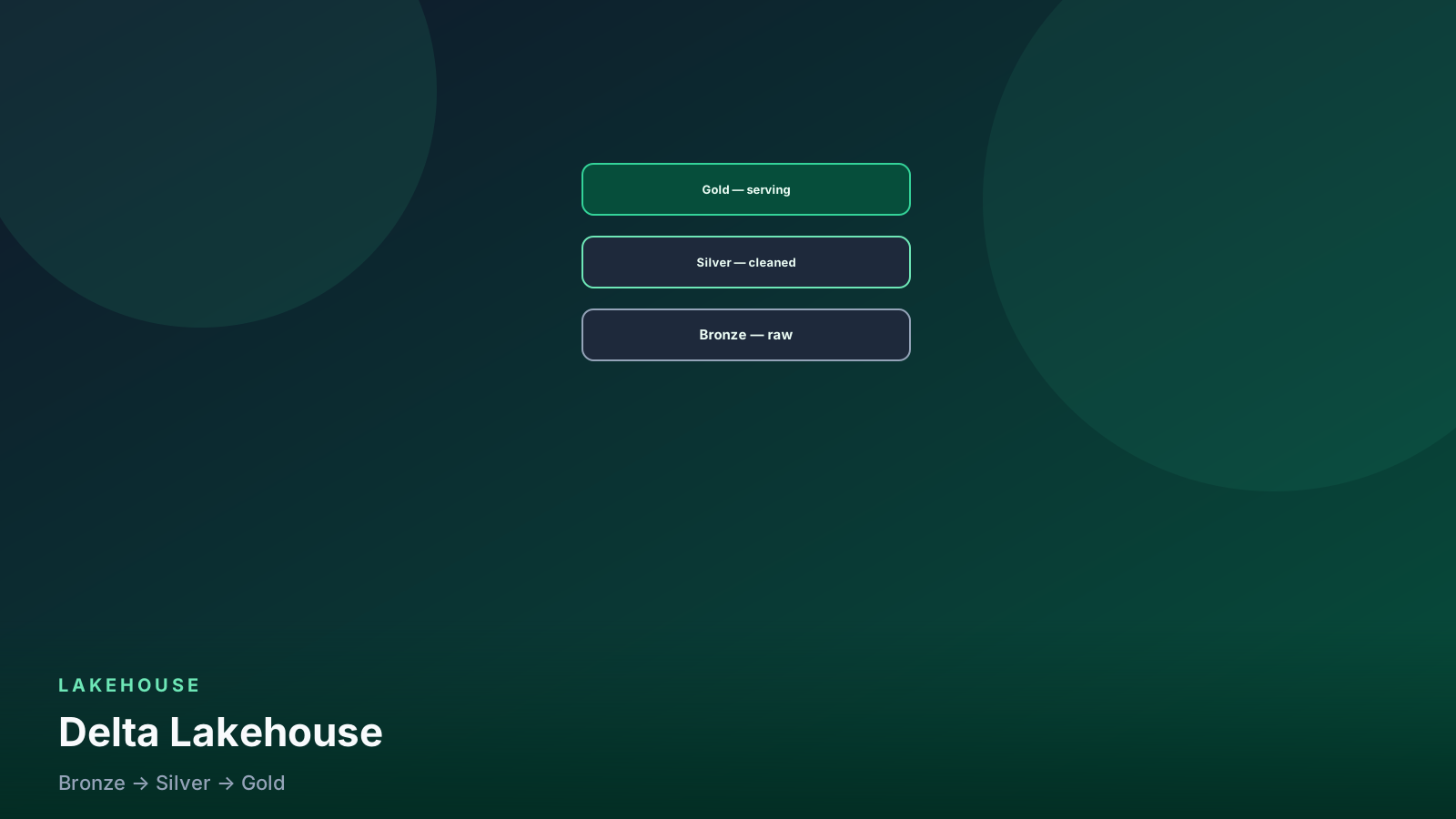
- ✓Medallion layers (bronze → silver → gold) stay rebuildable from the layer below.
- ✓Databricks is the opinionated runtime; the table format is what travels.
- ✓Job clusters for pipelines; all-purpose clusters are for development, not the overnight bill.
- ✓`MERGE` plus a business key is the upsert. `VACUUM` without a retention plan is how you lose time travel.
Table of contents
- The problem Delta Lake solves
- Create and read a table
- MERGE: the upsert you came for
- Time travel and restore
- OPTIMIZE, ZORDER, and file hygiene
- Medallion architecture (the part that is not a slide)
- Change data feed (when you need downstream incremental)
- Unity Catalog, in one paragraph
- Schema enforcement vs evolution
- When NOT to use a lakehouse (or Databricks)
- Pitfalls
- Production checklist
- FAQ
“Lakehouse” sounds like marketing. The underlying idea is concrete: warehouse-grade reliability on data-lake-priced object storage. Delta Lake is the table format that makes that possible. Databricks is the managed Spark runtime most teams use to run it.
If your organization is happy on Snowflake or BigQuery and the work is SQL + BI, you may not need this. If you have large semi-structured data, Spark jobs, and ML reading the same facts as analytics, you are in lakehouse territory. Format choice vs Iceberg is a separate post.
flowchart LR
  raw[Object storage files] --> bronze[Bronze raw]
  bronze --> silver[Silver cleaned]
  silver --> gold[Gold business]
  gold --> bi[BI / ML]
The problem Delta Lake solves
A raw lake is Parquet (or JSON) in S3 / ADLS / GCS. That is cheap, and it fails in predictable ways:
- A crashed write leaves a half-written file. Readers see corrupt or partial data.
- Two jobs writing the same prefix clobber each other.
- There is no
UPDATEorDELETE. A GDPR request becomes “rewrite these 400 files and hope nothing was reading them.” - Schema drift is a surprise column in next week’s job.
Delta puts a transaction log (_delta_log/) next to the data
files. Each write is an atomic commit. Readers see a consistent
snapshot. That is ACID on a bucket — with the usual distributed-
systems caveats, not magic.
You can run open-source Delta with Spark. Databricks is the batteries: notebooks, jobs, Unity Catalog, SQL warehouses, and the runtime that actually gets patched.
Create and read a table
from pyspark.sql import SparkSession
from pyspark.sql import functions as F

spark = SparkSession.builder.appName("delta-intro").getOrCreate()

(
    spark.read.parquet("s3://lake/landing/orders/")
    .write
    .format("delta")
    .mode("overwrite")
    .saveAsTable("bronze.orders")
)

spark.sql("select count(*) from bronze.orders").show()
On Databricks, saveAsTable in a Unity Catalog schema is the
path you want. Paths-only tables (save("s3://...")) still work;
they are harder to govern. I treat “a folder we forgot to register”
as technical debt.
-- Databricks SQL / Spark SQL
create table silver.orders (
  order_id string,
  customer_id string,
  amount decimal(12, 2),
  status string,
  ordered_at timestamp
)
using delta
partitioned by (date(ordered_at));
Liquid clustering is the newer alternative to partition + ZORDER
on Databricks. If your workspace has it, prefer the current docs
over copying 2019 PARTITIONED BY folklore onto every table.
Small tables need neither.
MERGE: the upsert you came for
from delta.tables import DeltaTable

customers = DeltaTable.forName(spark, "silver.customers")

(
    customers.alias("t")
    .merge(updates.alias("s"), "t.customer_id = s.customer_id")
    .whenMatchedUpdateAll()
    .whenNotMatchedInsertAll()
    .execute()
)
merge into silver.customers t
using customers_updates s
on t.customer_id = s.customer_id
when matched then update set *
when not matched then insert *;Always merge on the business key. Add a predicate on a partition / cluster column when the table is large so you do not rewrite the world. Same idea as BigQuery partition filters.
Idempotency: rerunning the same MERGE with the same source batch
should be a no-op (or a same-row update). That is how job retries
stay safe. PySpark job shape:
the PySpark tutorial.
Time travel and restore
-- Snapshot as of a version or a timestamp
select * from silver.customers version as of 42;
select * from silver.customers timestamp as of '2026-08-09T00:00:00';

describe history silver.customers;

restore table silver.customers to version as of 42;
“What did this table look like before the bad deploy” becomes a query. That alone justifies Delta for many teams.
Time travel is not infinite. VACUUM removes files that are
past the retention window. Default retention is conservative for
a reason. If you vacuum with a 1-hour retention because someone
wanted to “save storage,” you have deleted your undo log.
-- Dry run first. Then vacuum for real.
vacuum silver.customers retain 168 hours dry run;
Seven days of history is a common starting point if storage allows. Align it with how long you need to debug a bad job.
flowchart LR
  write[New commit] --> log[_delta_log]
  log --> travel[VERSION AS OF]
  travel --> vac{VACUUM?}
  vac -->|retain window| keep[Old files stay]
  vac -->|too aggressive| gone[Time travel dies]
VACUUM is storage cleanup. It is also how you delete the undo log.
OPTIMIZE, ZORDER, and file hygiene
Lots of small files (streaming, many MERGE commits) make the next read slow. Compact:
optimize silver.events;
-- Older pattern: ZORDER on the columns you filter
optimize silver.events zorder by (user_id);

-- Current Databricks: liquid clustering (if enabled on the table)
-- alter table silver.events cluster by (user_id, event_type);
Schedule OPTIMIZE on hot silver/gold tables. Do not optimize
bronze every five minutes unless you have measured the read pain.
Bronze is often “land it and forget the file sizes until silver
reads it once.”
Medallion architecture (the part that is not a slide)
Three layers, each rebuildable from the one below:
- Bronze — raw ingest, append-only, as close to the source payload as you can stand. Your replay buffer if Kafka retention expires. Keep the ingestion timestamp.
- Silver — typed, deduplicated, one row per real-world
entity or event grain. This is where
MERGEand quality checks live. - Gold — business grains for BI and ML features. Conformed dimensions, facts, wide feature tables.
It is the same idea as dbt staging / marts, applied to a lake. Logic bugs in gold should be fixable by re-running from silver. If gold is the only copy of a cleaning rule, you will not rebuild it — you will patch it.
# Bronze: append the file as it arrived
(
    raw.write
    .format("delta")
    .mode("append")
    .option("mergeSchema", "true")  # explicit. not a default lifestyle
    .saveAsTable("bronze.orders_raw")
)

# Silver: deterministic grain
w = Window.partitionBy("order_id").orderBy(F.col("ingested_at").desc())
silver_df = (
    spark.table("bronze.orders_raw")
    .withColumn("rn", F.row_number().over(w))
    .filter(F.col("rn") == 1)
    .drop("rn")
)
silver_df.write.format("delta").mode("overwrite").saveAsTable("silver.orders")
mergeSchema is for known additive columns, not “whatever the
vendor sent this week.” Pair silver with
Python / dbt quality checks.
Change data feed (when you need downstream incremental)
alter table silver.orders set tblproperties (
  delta.enableChangeDataFeed = true
);

select *
from table_changes('silver.orders', 10, 20);
CDF is how a gold job reads what changed instead of scanning the full silver table. Turn it on when you have a consumer that needs it. It is extra storage and another concept. It is not free.
Unity Catalog, in one paragraph
Workspaces without a catalog become “which hive metastore is this notebook using.” Unity Catalog is the governance layer: catalogs, schemas, grants, lineage. Put prod tables there. Do not build a second copy of permissions in a wiki.
SQL warehouses (with auto-stop) serve BI. Job clusters run scheduled pipelines and terminate. All-purpose clusters are for humans. Overnight gold jobs on an all-purpose cluster are how Databricks bills get a reputation.
flowchart TD
  work{What is running?} --> human[A person in a notebook]
  work --> sched[A scheduled pipeline]
  work --> dash[BI / SQL]
  human --> allp[All-purpose cluster]
  sched --> job[Job cluster — dies when the job ends]
  dash --> sqlw[SQL warehouse with auto-stop]
Humans on all-purpose. Pipelines on job clusters. BI on a warehouse that sleeps.
Who left a cluster on (workspace admins already have this in the UI; the SQL is the habit):
-- Databricks system tables (if enabled in your workspace)
select
  cluster_name,
  owned_by,
  datediff(hour, last_activity_time, current_timestamp()) as idle_hours
from system.compute.clusters
where state = 'RUNNING'
order by idle_hours desc;
Column names move with system-table versions. The point is the
question: what is still RUNNING that is not a job.
Schema enforcement vs evolution
Delta can reject extra columns or type changes. That is a feature. Turn on evolution only for bronze if the source is chaotic — then normalize in silver with an explicit mapping.
alter table silver.orders set tblproperties (
  'delta.columnMapping.mode' = 'name'
);
Column mapping matters when you rename columns without rewriting the world. Read the current Databricks notes before you enable it on a table Spark 2.something still reads. Compatibility is a version problem, not a checkbox.
When NOT to use a lakehouse (or Databricks)
- The workload is governed SQL and concurrency for analysts, and you already have Snowflake or BigQuery. Stay. Comparison: Snowflake vs Databricks.
- You need an open table that Snowflake, Athena, and Spark all write. That is often Iceberg, not Delta-as-default. See Delta vs Iceberg.
- The “lake” is 20 GB and one analyst. DuckDB or a warehouse sandbox is enough.
- Nobody will own
OPTIMIZE,VACUUM, job clusters, and catalog grants. Then you have a cheaper S3 junk drawer with extra JSON in_delta_log.
Pitfalls
- Streaming into bronze with
overwrite. You wanted append. - VACUUM then time-travel debugging. The files are gone.
- ZORDERing every column. One or two filter columns. Not ten.
- Treating Delta as a message bus. Use Kafka for independent consumers and short-retention events. Delta is tables.
MERGEwithout a unique source key. Duplicate source rows make MERGE fail or behave in ways you will not like.- Notebooks as the production orchestrator. A job (or Airflow) with a wheel / repo is the artifact. Notebooks are for development.
Production checklist
- Bronze append-only and rebuildable from the source or the log.
- Silver grain documented;
MERGEor overwrite-by-partition is idempotent. - Gold rebuilds from silver without tribal knowledge.
- Unity Catalog names for anything BI or ML touches.
- Job clusters (or equivalent) for scheduled work; SQL warehouse auto-stop for BI.
OPTIMIZEscheduled on tables that accumulate small files.VACUUMretention ≥ your debugging / compliance window. Dry-run first.- Time travel tested once on purpose (restore a table in a sandbox).
- Quality gates on silver before gold jobs run.
- A written format decision (Delta vs Iceberg) if a second engine will read the same files.
The lakehouse is not a vendor slogan. It is ACID files, a log you can time-travel, and layers you can rebuild. Databricks is how many teams operate that. Keep the layers honest and the clusters mortal — the rest is Spark you already know.
FAQ
Should gold jobs run on the all-purpose cluster I use at noon? No. Job clusters start, run, terminate. All-purpose is for interactive work. Leaving it up overnight is a bill, not a convenience.
Can I VACUUM with a one-hour retain to save storage? You can. You will also delete time travel. Dry-run first. Keep retain ≥ the window you need to debug a bad deploy.
Is MERGE without a unique source key safe?
No. Duplicate keys in the source make MATCHED ambiguous. Dedup
the batch, then merge.
Do I need liquid clustering on a 5 GB dimension? No. Partitioning and clustering are for large, repeatedly filtered tables. Small tables pay the layout tax for no win.
When do I turn on change data feed? When a downstream job should read what changed, not the whole silver table. It is extra storage. It is not a default.
Senior Data & AI Engineer · SnowPro Core & Gen AI Certified
4+ years building production data platforms on Snowflake, Databricks, AWS, and Azure. I write from hands-on experience with Medallion architectures, dbt, Airflow, PySpark, and Snowflake Cortex AI. Every tutorial on this blog reflects real pipeline decisions — not documentation rewrites.
Read more about the author →