Snowflake Zero-Copy Clones: Storage After Writes, Time Travel, and CI Schemas
CREATE … CLONE shares micropartitions until someone writes. How storage grows, how to clone at a timestamp, how I use clones in CI, and why I never mutate gold through a clone.
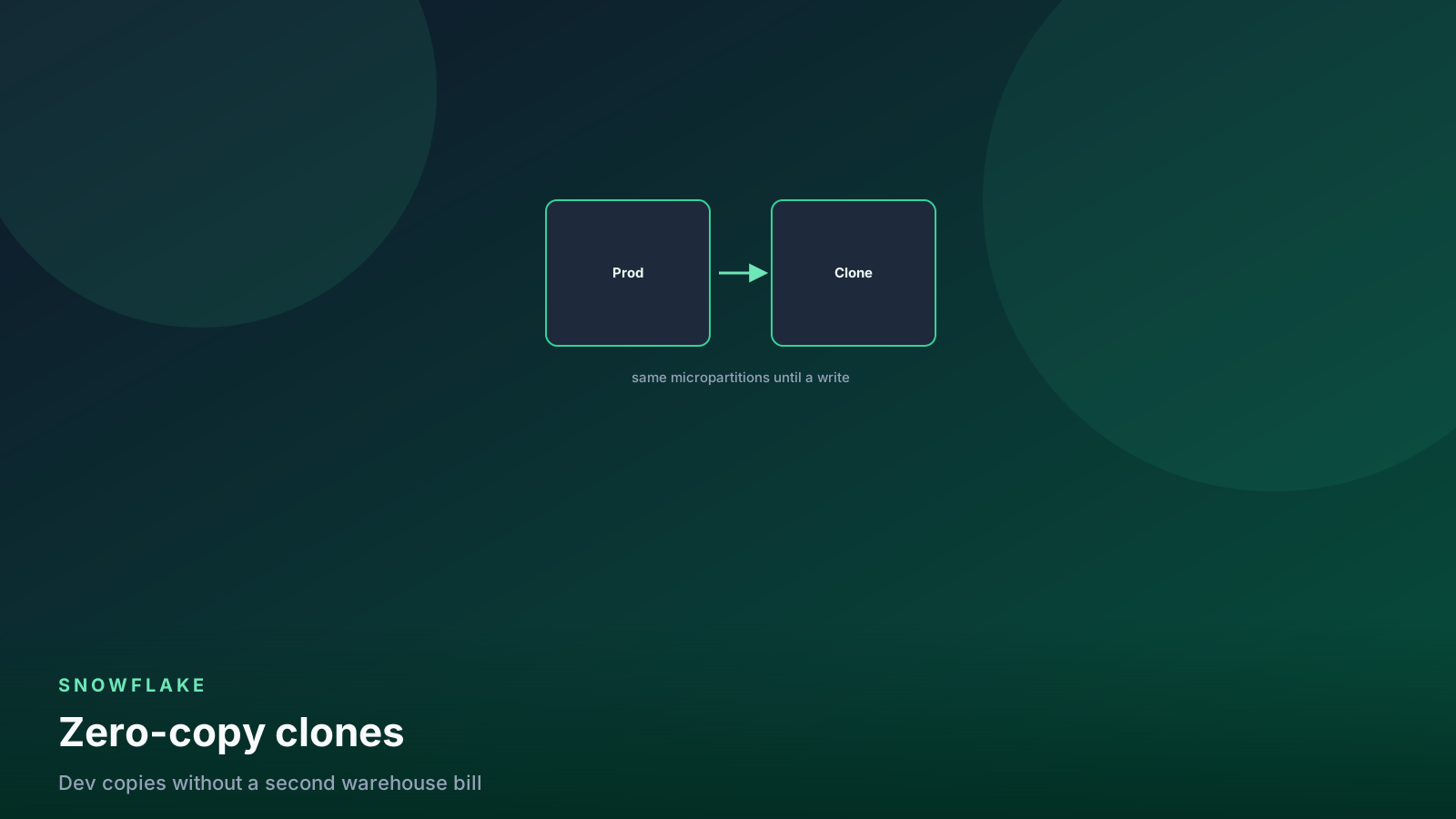
- ✓CREATE … CLONE copies metadata, not bytes. Storage starts near zero.
- ✓Writes on either side create new micropartitions. That divergence is the bill.
- ✓Clone AT a timestamp for restore and audit. Pair it with Time Travel retention.
- ✓CI schemas should clone, run tests, and drop — not live for a month.
- ✓Clone gold to isolate work. Do not DML production gold because a clone exists.
Table of contents
A zero-copy clone is a new table (or schema, or database) that
points at the same micro-partitions as the source. At CREATE
time you pay metadata, not a second copy of the data. The first
UPDATE on either object writes new files. From that moment the
clone and the source diverge, and you pay for the pages that are
no longer shared.
That is the whole feature. Clone a 12 TB gold schema, run a “quick
fix” MERGE, leave it up for six weeks, and storage jumps. The
clone did its job. Nobody dropped it.
I use clones for Friday restore, CI, and throwaway debug. Not as a second gold, and not as permission to mutate production.
flowchart LR
  src[Source table] --> files[Shared micropartitions]
  clone[CLONE] --> files
  src --> w1[Write on source]
  clone --> w2[Write on clone]
  w1 --> new1[New partitions billed]
  w2 --> new2[New partitions billed]
Share until a write. After that, you own the delta.
CREATE … CLONE
Three grains I actually type:
-- one table
create table analytics_fix.gold.orders_fix
  clone analytics.gold.orders;

-- a schema (tables, views, the usual objects)
create schema analytics_ci.gold
  clone analytics.gold;

-- a database at a point in time
create database analytics_ci
  clone analytics
  at (timestamp => '2026-08-30 09:00:00'::timestamp_tz);
The clone is a real object: its own name, grants, and future
writes. It does not sync DML from the source. Ownership lands
with the role that ran CREATE. Clone into a CI database, grant
there, never grant write on gold.
CLONE of a schema or database walks child objects. External
stages, some Iceberg/volume relationships, and hybrid tables have
edition-specific caveats. If the object is not a native table,
test clone in staging before you promise a CI job.
Iceberg in particular is
not a copy-paste of native clone behavior.
A clone of a permanent table is permanent unless you say otherwise. For CI you will drop in an hour, say transient:
create transient table analytics_ci.gold.orders
  clone analytics.gold.orders;
Transient still bills bytes that diverge. It skips Fail-safe. A restore clone I might promote stays permanent.
Storage after writes
At clone time, TABLE_STORAGE_METRICS will not show a second 12
TB. Shared files sit on the source’s bill (and in
RETAINED_FOR_CLONE_BYTES as the source and clone age). The
number that grows is new partitions.
select
  table_catalog,
  table_schema,
  table_name,
  active_bytes / power(1024, 3) as active_gb,
  time_travel_bytes / power(1024, 3) as time_travel_gb,
  retained_for_clone_bytes / power(1024, 3) as retained_for_clone_gb
from snowflake.account_usage.table_storage_metrics
where table_schema = 'GOLD'
   or table_catalog = 'ANALYTICS_CI'
order by retained_for_clone_bytes desc nulls last
limit 30;
I read this after any clone I kept more than a day. If
retained_for_clone_gb on a landing table is huge, someone cloned
bronze, wrote a backfill, and went on holiday.
What makes storage grow:
INSERT/MERGE/UPDATE/DELETEon the clone- The same DML on the source (source writes new files; old files stay as long as the clone needs them)
- Time Travel retention on both objects — old files cannot die while a clone or a retention window still points at them
A clone you never write to is almost free. A clone you treat as a second production table is a second production table, billed on the delta plus whatever the source can no longer drop.
Drop clones you are done with. That is the storage knob, not a new SKU.
drop table if exists analytics_fix.gold.orders_fix;
drop schema if exists analytics_ci.gold;
drop database if exists analytics_ci;
Pair this with the cost guide Monday habit. Compute is noisy. Clone storage is quiet and then sudden.
Time Travel plus clone
The restore I trust is not UNDROP as the first move on a live
table. It is clone-at-timestamp into a _fix object, count,
diff, then insert or swap. That runbook lives in
Time Travel. Here is
the clone half:
create table analytics.gold.orders_fix
  clone analytics.gold.orders
  at (timestamp => '2026-08-30 09:00:00'::timestamp_tz);

select
  (select count(*) from analytics.gold.orders) as now_rows,
  (select count(*) from analytics.gold.orders_fix) as then_rows;
If then_rows is wrong, you have the wrong timestamp or the
wrong table. Stop. Do not swap.
BEFORE (STATEMENT => 'query_id') works on CLONE the same way
it works on SELECT. Use it when the History page has the
statement that wrecked the table and you do not want to guess a
clock.
create table analytics.gold.orders_fix
  clone analytics.gold.orders
  before (statement => '01b2c3d4-0000-1111-2222-333344445555');
Retention still bounds you. You cannot clone a timestamp outside
the Time Travel window. Fail-safe is a Support ticket, not a
CLONE AT. If gold is transient, you may have no Fail-safe at
all — do not put irreplaceable facts there to “save clone
storage.”
A CREATE TABLE AS SELECT … AT is a full copy. You pay
storage immediately. Use CTAS for a compliance extract you will
keep. Use CLONE for a rollback you will diff and drop.
CI schemas
The CI pattern that has not bitten me: clone the schema (or database) at the start of the job, point dbt at the clone, run tests, drop the clone. Every run starts from prod-shaped data without writing prod.
create or replace database analytics_ci
  clone analytics;

-- CI role works only here
grant usage on database analytics_ci to role dbt_ci;
grant usage on all schemas in database analytics_ci to role dbt_ci;
grant select on all tables in database analytics_ci to role dbt_ci;
grant create table on schema analytics_ci.gold to role dbt_ci;
dbt in that job uses a target whose database is ANALYTICS_CI.
Models that write do so on the clone. A bad incremental does not
touch gold.
Cost control for CI:
- Transient clone if you will not promote it.
- Retention 0 or 1 day on the CI database. Do not inherit gold’s 7-day Time Travel.
- Drop at the end of the job, in
finally, not “we will clean up later.” - Do not clone bronze landing dumps you do not query. Clone the schemas the tests need.
alter database analytics_ci
  set data_retention_time_in_days = 1;
A clone that lives for a month is not CI. It is a shadow environment. Shadow environments accumulate writes, grants, and opinions. I treat anything older than a day as inventory I have to justify.
If the pipeline under test is a Dynamic Table graph, cloning objects is not cloning the refresh warehouse. I test the defining SQL as CTAS in CI and leave DT refresh for staging.
flowchart TD
  pr[Pull request] --> clone[CLONE prod DB or schema]
  clone --> dbt[dbt build on clone]
  dbt --> tests[Tests]
  tests -->|pass| drop[DROP clone]
  tests -->|fail| keep[Keep clone for debug]
  keep --> drop2[DROP when the PR dies]
Clone, test, drop. A CI database that lives a month is a second prod.
Do not clone, then mutate gold
This is the failure mode I write on the runbook in bold.
A clone is isolation. You experiment on the clone. You recover
into gold with an explicit INSERT or a name swap after a
review. You do not:
CLONEgold, thenMERGEthe source “because we can always roll back to the clone.” The clone is a snapshot of before only until Time Travel on the clone and retained files say otherwise — and writers are still landing on gold while you think.CLONEgold toorders_v2, run experimental DML onv2, and leave dashboards onordersand a notebook onv2. Two golds.- Swap names without a count and a key diff. A swap is a deploy.
- Grant the same writers on the clone and the source so someone “fixes” the wrong name.
The restore path I allow:
-- 1. isolate
create table analytics.gold.orders_fix
  clone analytics.gold.orders
  at (timestamp => '2026-08-30 09:00:00'::timestamp_tz);

-- 2. review on the clone (not on gold)
-- 3. apply a reviewed delta, or swap after a maintenance window

begin;
alter table analytics.gold.orders rename to analytics.gold.orders_bad;
alter table analytics.gold.orders_fix rename to analytics.gold.orders;
commit;
Swap is a cutover. It is not an UPDATE on gold that you run because a clone exists in the same schema. If writers are live, swap without a window is how you fight the next load. Clone, diff, insert missing keys, or schedule the swap. Record the query IDs.
Dev sandboxes get clones. They do not get INSERT on
analytics.gold. If an engineer needs to try a MERGE, they try
it on analytics_dev.gold, which started life as a clone and
will be dropped.
Privileges and names
CREATE … CLONE needs SELECT on the source, not OWNERSHIP.
That is how CI reads prod data without INSERT on gold.
Name clones so a 3 a.m. SHOW TABLES is readable:
orders_fix_20260830, not orders_copy2. Re-apply the grants
you care about in the same script as the CREATE.
Pitfalls
Long-lived clones of bronze. Landing tables churn. Every source write pins old files for the clone. Drop the clone or clone a stable silver instead.
CTAS when you meant CLONE. Immediate full storage. Fine for an extract. Expensive for a Friday rollback.
Inheriting 7-day retention into CI. The CI database does not need gold’s seatbelt. Set retention on the clone explicitly.
Mutating gold because a clone exists. The clone is not a backup you can keep writing in front of. See above.
Iceberg or external-volume objects cloned like native tables. You can copy metadata and still miss IAM. Test once in staging. Details in the Iceberg guide.
Forgetting the clone after a successful restore. orders_bad
and orders_fix linger. Drop the loser after the window.
Cloning the entire account’s worth of databases for one model test. Clone the schema you will query.
Checklist
- Name the job: restore, CI, or debug. If it is none of those, you probably want a view, not a clone.
CLONE(optionallyAT). Count source versus clone before any DML.- Set retention on CI clones. Prefer transient.
- Write only to the clone until a reviewed cutover.
- Diff keys. Swap or insert. Record query IDs.
- Drop the leftover. Check
retained_for_clone_bytesnext Monday.
FAQ
Does a clone duplicate Time Travel storage the moment I create it?
No. You share micropartitions until either side writes (or
retention needs a file the other side still holds). Storage
grows with divergence, not with CREATE.
Can I clone a table that already is a clone? Yes. It is another metadata pointer. The same write-and-diverge rules apply.
Should CI keep yesterday’s clone to save time? No. Yesterday’s clone has yesterday’s writes and yesterday’s grants drift. Create, test, drop. If clone time is the bottleneck, clone a smaller schema, not a warmer leftover.
Is UNDROP better than clone-at-timestamp?
UNDROP puts the dropped object back. If writers are live, or you
only need some rows, clone at a timestamp into _fix first.
UNDROP as the first move on a busy table is a race.
Can I clone gold and use the clone as the new production table without a swap? You can point BI at the clone’s name. You now have two names and no cutover. Swap or rename in a window after a diff. Do not leave both live.
What this means for data engineers
Clone to isolate: restore, CI, debug. Pay for writes, not for
CREATE. Set retention on scratch copies. Drop them.
Never treat a clone as a hall pass to MERGE production gold.
The source is the source until a reviewed swap or insert says
otherwise. Time Travel is the seatbelt;
the restore post is the
runbook; this post is why the isolated copy is cheap enough to
use every time.
Senior Data & AI Engineer · SnowPro Core & Gen AI Certified
4+ years building production data platforms on Snowflake, Databricks, AWS, and Azure. I write from hands-on experience with Medallion architectures, dbt, Airflow, PySpark, and Snowflake Cortex AI. Every tutorial on this blog reflects real pipeline decisions — not documentation rewrites.
Read more about the author →