Snowflake Time Travel and Cloning: What They Really Cost and How to Migrate Safely
How Time Travel retention, fail-safe, and zero-copy clones bill against storage, plus the migration and recovery patterns that make the storage cost worth paying.
- ✓Time Travel storage scales with churn, not table size. A 200 GB table rewritten nightly can carry terabytes of retention.
- ✓Fail-safe is seven extra days you cannot query, cannot disable, and still pay for on every permanent table.
- ✓Transient tables drop fail-safe entirely, which is the right default for staging, scratch, and anything reproducible.
- ✓A zero-copy clone is free until you write to it. Cloning prod to dev then rebuilding everything is not free at all.
- ✓Clone before every risky migration. It is the cheapest rollback plan Snowflake offers and it takes one statement.
Table of contents
- How the three storage layers stack
- Read the actual numbers
- Choosing retention on purpose
- Transient tables: the fail-safe escape hatch
- Recovery patterns worth memorizing
- Zero-copy clones and what they actually cost
- The safe migration pattern
- Where teams get this wrong
- FAQ
- Does Time Travel slow down queries?
- Can I recover a table after fail-safe expires?
- Is a clone affected when the source table changes?
- Do clones inherit the source’s clustering?
- What is the cheapest way to keep a monthly snapshot?
- What this means for your pipelines
Time Travel is the feature people demo and clones are the feature people love, and both of them show up on the invoice in ways that surprise teams about eight months in.
The surprise is always the same shape. Someone looks at
TABLE_STORAGE_METRICS and finds a 180 GB table consuming 2.1 TB
of billable storage. Nothing is wrong. The table is fully rewritten
by a nightly job, retention is set to 30 days, and Snowflake is
faithfully keeping every version of every micro-partition that job
has produced for a month, plus seven days of fail-safe on top.
I have never regretted having Time Travel. I have twice recovered a production table someone truncated at 4 p.m., and each recovery took under a minute and cost nothing. What I have regretted is leaving retention at a number nobody chose, on tables whose churn made that number expensive.
This post is the arithmetic, then the patterns that make the spend worth it.
How the three storage layers stack
Snowflake tables are made of immutable micro-partitions. Any DML that changes a row writes new partitions and retires the old ones. Retired partitions do not disappear — they move through two retention layers before they are actually deleted.
flowchart LR
  active["Active storage: current partitions"] --> tt["Time Travel: retired partitions, queryable"]
  tt --> fs["Fail-safe: 7 days, Snowflake support only"]
  fs --> gone["Purged, billing stops"]
Three billable layers. You control the middle one, you cannot control the third, and both are driven by churn.
Time Travel keeps retired partitions queryable for
DATA_RETENTION_TIME_IN_DAYS, which defaults to 1 on Standard
edition and can go to 90 on Enterprise and above. You can query it
with AT and BEFORE, you can UNDROP, and you can clone from a
point in the past.
Fail-safe is a fixed seven days after Time Travel expires. You cannot query it, you cannot shorten it, and you cannot turn it off on a permanent table. Recovery requires a Snowflake support ticket and is meant for disaster, not for the analyst who dropped a table. You pay for it the entire time.
The key insight is that both layers bill on churn, not on table
size. A 5 TB append-only table with 30-day retention adds almost
nothing to the bill, because appended partitions are never retired.
A 100 GB table that gets a full INSERT OVERWRITE every night
retires 100 GB of partitions daily, so at 30 days retention plus
7 days fail-safe you are paying for roughly 3.7 TB of history for
a 100 GB table.
Read the actual numbers
Stop estimating and query it. This is the single most useful storage query in Snowflake:
select
  table_catalog,
  table_schema,
  table_name,
  table_type,
  round(active_bytes        / power(1024, 3), 1) as active_gb,
  round(time_travel_bytes   / power(1024, 3), 1) as time_travel_gb,
  round(failsafe_bytes      / power(1024, 3), 1) as failsafe_gb,
  round((time_travel_bytes + failsafe_bytes) / nullif(active_bytes, 0), 2) as retention_multiple
from snowflake.account_usage.table_storage_metrics
where deleted = false
  and active_bytes > power(1024, 3)      -- ignore anything under 1 GB
order by (time_travel_bytes + failsafe_bytes) desc
limit 30;
retention_multiple is the number to argue about. Under 0.5 is
healthy. Above 3 means the table is being rewritten far more than
its retention setting assumes, and you should either shorten
retention, make the table transient, or change the write pattern
to something incremental.
Then check what retention is actually set to, because the inherited defaults are rarely what anyone intended:
select table_catalog, table_schema, table_name, retention_time
from snowflake.account_usage.tables
where deleted is null
  and retention_time > 7
order by retention_time desc, table_name;
Retention is inherited from account to database to schema to table, with the most specific setting winning. Setting it once at the account level and never revisiting is how you end up paying 90 days on scratch tables.
Choosing retention on purpose
My defaults, which I set at the schema level so new tables inherit correctly:
Raw landing zones get 1 day. The source system still has the data, and re-ingesting is a re-run, not a recovery.
Silver and gold production tables get 7 days. That covers a bad deploy discovered on Monday morning after a Friday release, which is the realistic worst case for human error.
Anything with a named compliance requirement gets exactly the number in the requirement, documented in a comment on the table so the next person does not “optimize” it.
Dev, staging, CI, and scratch get 0 days and are transient.
-- Set at schema level so new tables inherit it.
alter schema raw.marketing set data_retention_time_in_days = 1;
alter schema analytics.gold set data_retention_time_in_days = 7;

-- A compliance table, documented in place.
alter table analytics.gold.payment_events
  set data_retention_time_in_days = 90
  comment = 'Retention 90d per FIN-2024-11 audit requirement. Do not reduce.';
Two warnings. Reducing retention takes effect immediately and retroactively purges history beyond the new window, so you cannot undo it. And changing a table’s retention does not change fail-safe, which is fixed for permanent tables.
Transient tables: the fail-safe escape hatch
A transient table has no fail-safe and can have at most 1 day of Time Travel. That means it stops billing history seven days earlier than a permanent table with the same retention, which on high-churn intermediate tables is most of the savings available.
-- Staging and intermediate models should almost always be transient.
create transient table analytics.silver.orders_staging (
  order_id      number,
  customer_id   number,
  ordered_at    timestamp_ntz,
  amount_cents  number
)
data_retention_time_in_days = 1;

-- Whole schemas can be transient, so everything created inside inherits it.
create transient schema analytics.staging
  data_retention_time_in_days = 0;
In dbt, this is a one-line config, and it is the highest-value change most projects can make to their storage bill:
-- models/silver/orders_staging.sql
{{ config(
    materialized = 'table',
    transient = true,
    post_hook = "alter table {{ this }} set data_retention_time_in_days = 1"
) }}

select ... from {{ ref('raw_orders') }}
The rule I use: if you can rebuild it from a source that still exists, it should be transient. Almost everything between raw and gold qualifies. Note that dbt creates tables as transient by default in Snowflake, which is correct, and I have seen teams override that to permanent “for safety” without realizing they just bought fail-safe on 400 intermediate models.
Recovery patterns worth memorizing
The reason you pay for any of this is the five minutes where it saves you. Know these before you need them.
-- Someone dropped the table. Fastest fix in Snowflake.
undrop table analytics.gold.orders;

-- Someone ran a bad UPDATE ten minutes ago and you know roughly when.
create or replace table analytics.gold.orders_recovered clone analytics.gold.orders
  at (offset => -600);   -- seconds ago

-- You know the exact query_id of the statement that did the damage.
create or replace table analytics.gold.orders_recovered clone analytics.gold.orders
  before (statement => '01b2c3d4-0000-1234-0000-000000000abc');

-- Compare before you swap anything in.
select count(*) as recovered_rows from analytics.gold.orders_recovered;
select count(*) as current_rows   from analytics.gold.orders;

-- Atomic swap once you are satisfied.
alter table analytics.gold.orders swap with analytics.gold.orders_recovered;
The BEFORE (STATEMENT => ...) form is the one I reach for most,
because it removes the guesswork. Pull the offending query_id
from QUERY_HISTORY, clone to the state immediately before it,
and diff. The
query profile guide covers
finding that ID quickly.
Always recover into a new table and compare, rather than restoring
in place. SWAP WITH is atomic and instant, and it keeps a copy of
the damaged state around in case your understanding of the incident
was wrong. It usually is, the first time.
Zero-copy clones and what they actually cost
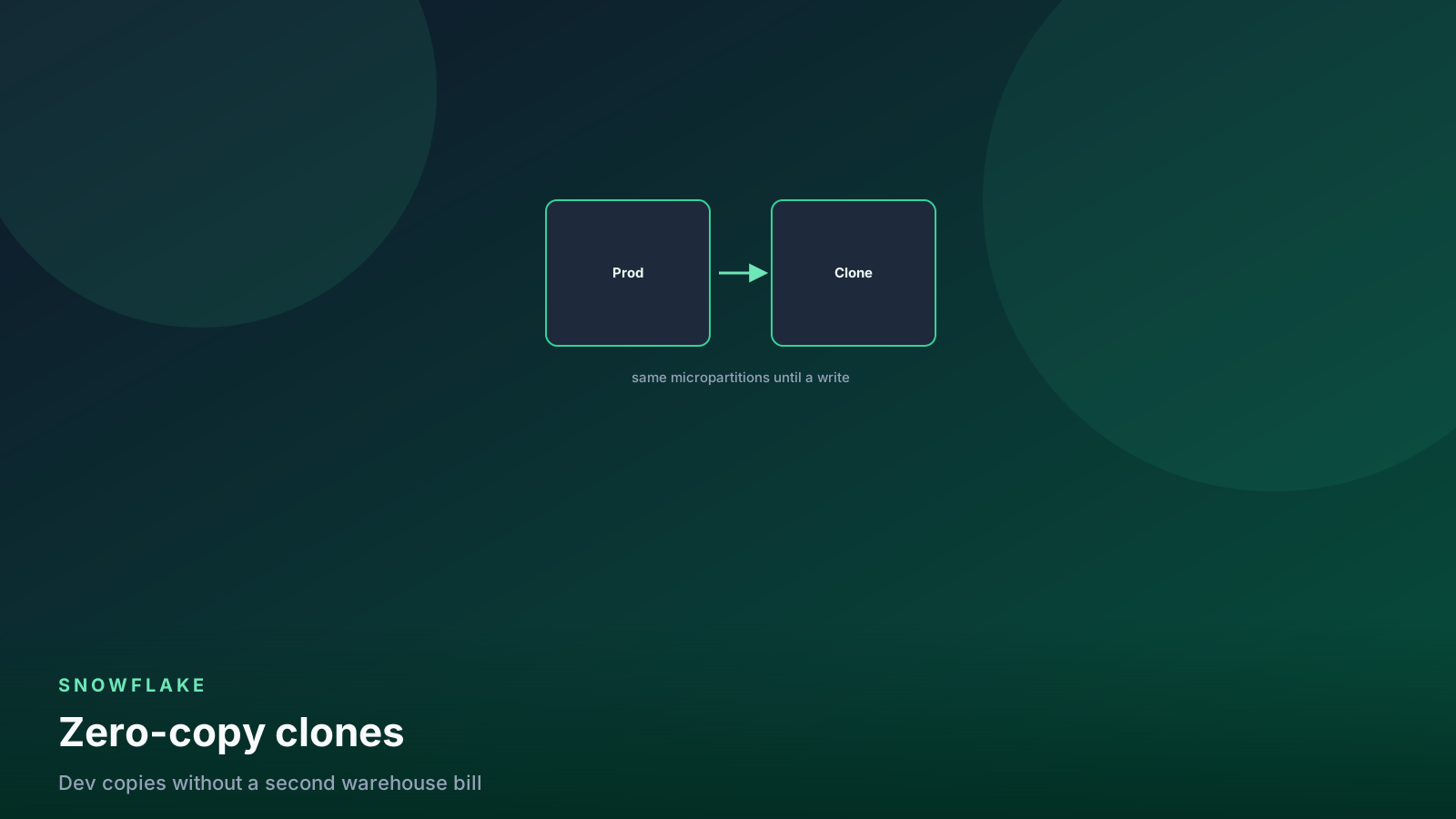
A clone is a new object that shares the source’s micro-partitions. Creating it copies metadata only, so it is nearly instant and adds no storage. Deep-dive material lives in the zero-copy clones post; what matters here is the billing behavior.
The clone stays free only while both objects keep pointing at the same partitions. The moment you write to either side, the changed partitions diverge and the new ones bill as normal storage. So a clone of a 4 TB warehouse into dev costs nothing on Monday, and after your dev pipeline rebuilds every model, it costs roughly what those models occupy.
-- Instant environment for testing a migration.
create database analytics_migration_test clone analytics;

-- Clone as of a point in time, useful for reproducing a bug.
create database analytics_yesterday clone analytics
  at (offset => -86400);

-- Find clones that have diverged and are now costing real storage.
select
  table_catalog, table_schema, table_name,
  round(active_bytes / power(1024, 3), 1) as active_gb,
  round(clone_group_id, 0) as clone_group
from snowflake.account_usage.table_storage_metrics
where deleted = false
  and clone_group_id is not null
  and active_bytes > 10 * power(1024, 3)
order by active_gb desc;
Also note what a clone does not copy: it does not carry future grants, it does not carry the source’s external stage credentials in every case, and privileges on child objects are only preserved if you clone at the database or schema level. This is exactly where RBAC and cloning intersect badly, and it is the most common way production grants leak into a dev environment.
The safe migration pattern
This is the workflow I use for any change I am not certain about — a schema restructure, a large backfill, a dbt refactor that rewrites a mart, a change to a clustering key on a big table.
-- 1. Clone the target schema. Instant, free, and it is your rollback.
create schema analytics.gold_premigration clone analytics.gold;

-- 2. Run the migration against the real schema.
--    (Your dbt run, DDL, backfill, whatever it is.)

-- 3. Reconcile against the clone before anyone downstream sees it.
select
  (select count(*) from analytics.gold.orders)              as new_rows,
  (select count(*) from analytics.gold_premigration.orders) as old_rows,
  (select sum(amount_cents) from analytics.gold.orders)     as new_total,
  (select sum(amount_cents) from analytics.gold_premigration.orders) as old_total;

-- 4a. If it went wrong, swap back. Seconds, not hours.
alter table analytics.gold.orders swap with analytics.gold_premigration.orders;

-- 4b. If it went right, drop the clone on a schedule so it stops billing.
drop schema analytics.gold_premigration;
Step 4b is the one teams skip. A pre-migration clone that nobody
drops keeps diverging from the live table and quietly becomes a
full second copy. I set a calendar reminder, and on accounts where
this happens often I add a weekly query for schemas matching
%_premigration older than fourteen days.
Where teams get this wrong
Setting 90-day retention account-wide because Enterprise allows it. Retention is not a quality signal. It is a multiplier on churn, and the tables with the highest churn are usually the ones that need it least.
Making everything permanent “for safety.” Fail-safe on a staging table you rebuild hourly is seven days of storage for data that was never authoritative. Transient is the correct default for anything reproducible.
Forgetting that dropped tables still bill. A dropped table retains Time Travel and fail-safe for the full window. Dropping a large table does not reduce your bill today; it reduces it in retention plus seven days.
Using clones as backups. A clone shares partitions with its source. It is a point-in-time snapshot with a rollback story, not an independent copy, and it lives in the same account with the same blast radius. Cross-region replication is the backup.
Reducing retention to fix a bill without checking recoverability first. The purge is immediate and irreversible. Confirm nobody is mid-incident and that no compliance requirement names the number.
Cloning production into dev without re-applying grants. The clone brings existing privileges with it at the schema and database level. Audit the clone’s grants before anyone touches it.
FAQ
Does Time Travel slow down queries?
No. Historical partitions are separate files with their own
metadata, and a normal query only reads the current set. Querying
AT or BEFORE a timestamp reads the historical partitions, which
performs similarly to reading current ones.
Can I recover a table after fail-safe expires?
No. Once the seven days pass, the partitions are purged permanently. That is the actual boundary of Snowflake’s recovery story, and it is why anything genuinely irreplaceable needs a separate backup or replication strategy.
Is a clone affected when the source table changes?
No. The clone captures the state at creation time and is fully independent from that moment. Writes to the source create new partitions the clone does not reference, and vice versa.
Do clones inherit the source’s clustering?
They inherit the source’s physical layout, so pruning behaves
identically at first. Heavy DML on the clone creates new partitions
with their own ordering, so run
SYSTEM$CLUSTERING_INFORMATION again after a large merge before
assuming the layout held. See
micro-partitions and pruning
for how to read the result.
What is the cheapest way to keep a monthly snapshot?
Clone the schema on a schedule and let old clones age out. Because clones only bill for divergence, a monthly clone of a mostly-static table costs a fraction of a full copy. Automate the drop as well as the create, or you will accumulate them.
What this means for your pipelines
Time Travel and cloning turn two categories of risk into
non-events. Human error becomes a one-minute UNDROP or a clone
from a query_id. Risky migrations become reversible, because a
pre-migration clone is instant and a SWAP WITH is atomic. If your
deploy process for warehouse changes does not currently include a
clone-and-reconcile step, it is the highest-value thing you can add
this week, and it costs nothing while it sits unused.
The cost side is entirely about churn discipline. Every full
rewrite you do is a full copy into retention, so the same
incremental modeling
work that saves compute also saves storage, twice over. Mark
everything reproducible as transient, set retention per schema
rather than per account, and put the TABLE_STORAGE_METRICS query
into your weekly
cost review so a
retention multiple over 3 gets noticed while it is still small.
Set the number deliberately, write down why, and treat the clone as a required step in any migration runbook. Then the day you need to recover, you will not be reading documentation — you will be running one statement you have run before.
Senior Data & AI Engineer · SnowPro Core & Gen AI Certified
4+ years building production data platforms on Snowflake, Databricks, AWS, and Azure. I write from hands-on experience with Medallion architectures, dbt, Airflow, PySpark, and Snowflake Cortex AI. Every tutorial on this blog reflects real pipeline decisions — not documentation rewrites.
Read more about the author →